AdSense optimization tips straight from Google

Posted by Unknown Minggu, 04 Maret 2012 0 komentar
Do you use Google AdSense to monetize your site? Then check out these top 5 optimization tips straight from Google!

Top AdSense Optimization Tips

1. Maximize your AdSense coverage
In order to maximize your earnings, place three AdSense ad units and three link units on each of your pages. The more ads you display, the more opportunities you have for your users to engage with them.

Also, because some ads are paid on a cost-per-impression (CPM) basis, you will often be paid just for displaying the ads, regardless whether a user clicks on them.

2. Place your ads above the fold
Ads that appear higher on the page perform the best. Place your ads so users can see them without scrolling down the page. The more a user has to scroll before finding your ads, the less likely they are to see them and to click on them.

3. Use the best performing ad units
Our advertisers’ preferred ad units are the Leaderboard (728×90), the Medium Rectangle (300×250) and the Wide Skyscraper (160×600). By using these popular ad units, you’ll be tapping into a larger pool of competing ads. More ad inventory leads to more competition in the ad auction and ultimately results in higher RPMs for our publishers.

4. Show text and image ads
Check your ad units and make sure that you’ve opted-in to displaying text and image ads. By diversifying your ads, you’re able to increase the available inventory for your site. With most text ads paid on a cost-per-click (CPC) basis and most image ads paid on a cost-per-impression (CPM) ad, you can let AdSense determine which ads will maximize your earnings.

5. Complement your content with your ads
Your AdSense ads should fit seamlessly within your site to improve your users’ experience. Blend the color of your ads to match the rest of your site and remove the borders around your ad units to help your ads complement your content and enhance your site.

Bonus Tip: Opt-in to Placement Targeting
Set up Custom Channels in your AdSense account and opt-in to Placement Targeting. Placement targeting allows our advertisers to bid on a specific ad or group of ad placements on your site. Advertisers are usually willing to bid more for targeted units.

Have additional questions? Check out http://adsense.google.com/support

And that’s it. At the end of the day, it's all about testing your ads and monitoring how they perform for you on your site. Good luck!

Baca Selengkapnya ....

Wrap text around Adsense block in left or right corner

Posted by Unknown 0 komentar
Maybe you have wondered how to wrap text around an Adsense block. You may have noticed that many Wordpress blogs have ad units embedded in top left or right corner of the post content as shown in the picture below:

adsense

The main advantage of this Adsense ad placement is that it has the highest CTR on most of the blogs. Adding this ad unit is very simple and requires a code snippet before and after your regular Adsense ad script.

If you want to add a ad unit in top right corner of your post, then include the red lines below in your ad code:

<div style="float:right;">
Your Adsense ad script
</div>

If you want to place ad unit at left corner, change the float tag to "left":

<div style="float:left;">
Your Adsense ad script
</div>

The most appropriate for this ad placement is 250×250 square ad unit. Placing AdSense unit in the middle of the post, may disturb the reading flow, so I'd recommend to have ad units at the beginning of the post.

If you have any query adding this ad unit in your blog post, just leave a comment below.

Baca Selengkapnya ....

Free Download Resetter Canon MP198, MP258, MP276, MP496, MP558, MP568, and MP648

Posted by Unknown Jumat, 02 Maret 2012 0 komentar

To everyone who required resetter canon MP198, MP258, MP276, MP496, MP558, MP568, and MP648 to reset ink counter on these canon printer model, I discovered the way to reset these canon printers model on indoreset. Canon MP198, MP258, MP276, MP496, MP558, MP568, and MP648 is canon all-in-one printer verison that made for home and small office.
I don’t realize this reset method work or otherwise not on canon MP198, MP258, MP276, MP496, MP558, MP568, and MP648 because I do not have this printer model to do this reset method.

Resetter Canon MP198, MP258, MP276, MP496, MP558, MP568, and MP648

Prepared to reset your printer, follow the following steps:
Most of these steps should be completed to reset your canon MP198, MP258, MP276, MP496, MP558, MP568, and MP648 printer.
A. Getting into service mode
Switch off the printer off is the printer power on. And take away the printer USB cable out of your computer.
While the printer is OFF, press and hold the Start/Stop button on the another canon printers model press Resume/Cancel button.
While still holding Start/Stop button or Resume/Cancel button, press and keep the POWER button.
Once the POWER LED (green light) lit, release the Start/Stop or resume/cancel button (still holding the POWER button).
Still holding the power button, Press the Start/Stop button or resume/cancel button TWICE then Release the POWER button. Wait until LCD printer to display (zero) number
Following your display is , attach the printer USB cable to the computer, its will detected new device installed (its normal), now check out resetting steps
B. Resetting Ink counter on the Printer
Run “service_tool 1050.exe”. you are able to download the service tool software from this link:
Resetter Canon MP198, MP258, MP276, MP496, MP558, MP568, and MP648 Free Download

Resetter Canon MP198, MP258, MP276, MP496, MP558, MP568, and MP648 Free Download

Confirm detected USB-port numbers on USB port column.
Click “Main button” on Clear ink counter section. Be sure you will find papers within the paper feed because printer will print after the operation is complete.
Click “platen button” on the “Clear ink counter” section. The printer will print again.
Turn off the printer and then turn the printer on. You printer is ready for use.

Resetter Canon MP198, MP258, MP276, MP496, MP558, MP568, and MP648 Free Download

Resetter Canon MP198, MP258, MP276, MP496, MP558, MP568, and MP648 Free Download, Resetter Canon MP198, MP258, MP276, MP496, MP558, MP568, and MP648 Free Download, Resetter Canon MP198, MP258, MP276, MP496, MP558, MP568, and MP648 Free Download, Resetter Canon MP198, MP258, MP276, MP496, MP558, MP568, and MP648 Free Download, Resetter Canon MP198, MP258, MP276, MP496, MP558, MP568, and MP648 Free Download, Resetter Canon MP198, MP258, MP276, MP496, MP558, MP568, and MP648 Free Download. Resetter Canon MP198, MP258, MP276, MP496, MP558, MP568, and MP648 Free Download, Resetter Canon MP198, MP258, MP276, MP496, MP558, MP568, and MP648 Free Download, Resetter Canon MP198, MP258, MP276, MP496, MP558, MP568, and MP648 Free Download, Resetter Canon MP198, MP258, MP276, MP496, MP558, MP568, and MP648 Free Download, Resetter Canon MP198, MP258, MP276, MP496, MP558, MP568, and MP648 Free Download, Resetter Canon MP198, MP258, MP276, MP496, MP558, MP568, and MP648 Free Download Resetter Canon MP198, MP258, MP276, MP496, MP558, MP568, and MP648 Free Download


Baca Selengkapnya ....

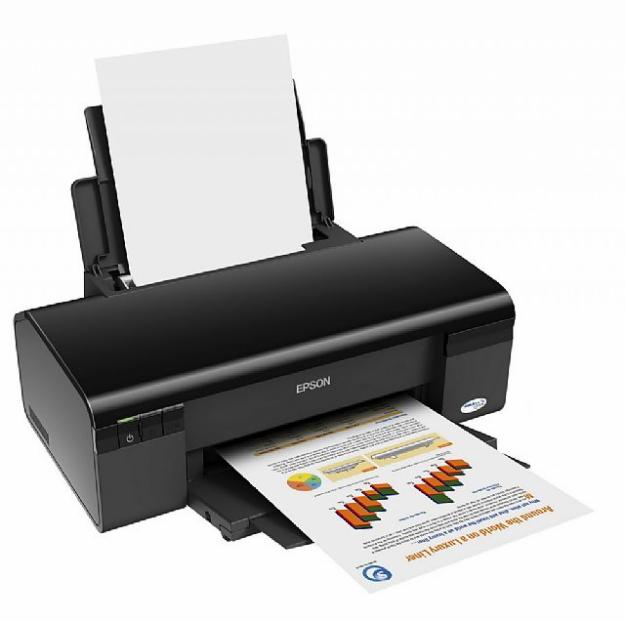
Free Download Reseter Printer Epson T13

Posted by Unknown 0 komentar


There is an Error On Ink In Epson T13. How Easy Living Simply Handling Using Resetter Printer Epson T13. This application is Free and Does not require Serial Number or Notions. This application is in the definition of our When To Easily Meet Problems On A Printer.
Is It Proven? Yes I used to use this software for my printer Reset the error.

Download Link Resetter Printer T13


Baca Selengkapnya ....

Free Download Driver Printer Canon

Posted by Unknown 0 komentar

The way to install this printer driver you can see HERE.

For now I would post some brand printer driver canon.

For other canon series I will upload soon.


Across any form of zip file and you have to first extract that can be used properly.
Driver Canon ip100 >> Canon ip1000 

Driver Canon ip1700>> Canon ip1700 

Driver Canon ip1880 >> Canon ip1880 

Driver Canan 1200 >> Canon 1200 

Driver Canon 1980 >> Canon 1980 

Canon driver S200SPx >> Driver canon S200SPx_01G 

Canon MP 530 >> Canon MP 530 (Win 98 & ME) 

Canon MP 530 >> Canon MP 530 ( Win XP) 

Canon MP 150 >> Canon MP 150

Baca Selengkapnya ....

Free Download Epson Adjustment Program (Software Resetter for Epson Printer)

Posted by Unknown 0 komentar

Adjustment Program Epson C Series:
  • Download Adjustment Program Epson C41, C42, C43, C44, C45, C46
  • Download Adjustment Program Epson C58
  • Download Adjustment Program Epson C59
  • Download Adjustment Program Epson Stylus C63 , C64
  • Download Adjustment Program Epson C67, C68, D68
  • Download Adjustment Program Epson C79
  • Download Adjustment Program Epson Stylus C82
  • Download Adjustment Program Epson Stylus C83-86
  • Download Adjustment Program Epson C87, C88, D88
  • Download Adjustment Program Epson C90 Indonesian Version
  • Download Adjustment Program Epson C90 Singapore Version.
  • Download Adjustment Program Epson C110
  • Download Adjustment Program Epson C480
  • Download Adjustment Program Epson C580
  • Download Adjustment Program Epson C660
  • Download Adjustment Program Epson C670
  • Download Adjustment Program Epson C680
  • Download Adjustment Program Epson C880
Adjustment Program Epson CX Series:
  • Download Adjustment Program Epson CX1390
  • Download Adjustment Program Epson CX1500
  • Download Adjustment Program Epson CX2800 – CX2900
  • Download Adjustment program Epson CX3100
  • Download Adjustment Program Epson CX3500-4600
  • Download Adjustment Program Epson CX3700, CX3800, CX3805, CX3810, DX3800, DX3850
  • Download Adjustment Program Epson CX3900
  • Download Adjustment Program Epson CX4100, CX4200, CX4700, CX4800, DX4200, DX4250, DX4800, DX4850
  • Download Adjustment Program Epson CX4900
  • Download Adjustment Program Epson CX5100-5400
  • Download Adjustment Program Epson CX5500, CX5505
  • Download Adjustment Program Epson CX5900
  • Download Adjustment Program Epson CX6300-6600
  • Download Adjustment Program Epson CX7300
  • Download Adjustment Program Epson CX8300
  • Download Adjustment Program Epson CX9300F
Adjustment Program Epson R Series:
Adjustment Program Epson RX Series:
Adjustment Program Epson Stylus Photo series:
  • SP1270 Adjustment Program Epson Stylus Photo 1270
  • SP1290 Adjustment Program Epson Stylus Photo 1290
  • SP1390 Adjustment Program Epson Stylus Photo SP1390
  • SP1410 Adjustment Program EPson Stylus Photo 1410 (995k)
  • SP2000p Adjustment Program Epson Stylus Photo SP2000P
  • SP2100 Adjustment Program Epson Stylus Photo SP2100
Adjustment Program Epson T and TX Series
  • Download Adjustment Program Epson T10
  • Download Adjustment Program Epson T11 (work also with Epson T10)
  • Download Adjustment Program Epson T20
  • Download Adjustment ProgramEpson T30
  • Download Adjustment ProgramT33 (work also with Epson T30)
  • Download Adjustment ProgramT50-EEE
  • Download Adjustment ProgramT50-EHK
  • Download Adjustment ProgramT50-ETT
  • Download Adjustment ProgramEpson T60
  • Download Adjustment Program Epson TX100
  • DownloadAdjustment Program Epson TX200
  • DownloadAdjustment Program Epson TX400
Adjustment Program Epson PictureMate (PM) Series
  • Download Adjustment Program Epson PM270/ Epson Picture Mate 270
  • Download Adjustment Program Epson PM250/ Epson Picture Mate 250
  • Download Adjustment Program Epson PM215/ Epson Picture Mate 215
  • Download Adjustment Program Epson PM210/ Epson Picture Mate 210
  • Download Adjustment Program Epson PM-G800/ Epson Picture Mate D800
Other EPSON Software:

Canon Service Tools (Software Resetters Canon Printers)

Test print software   FOR Dotmatrix Printers ( Windows 95, 98, ME)

Baca Selengkapnya ....
Trik SEO Terbaru support Online Shop Baju Wanita - Original design by Bamz | Copyright of Android rush.